Liquid Glass Tab Bar 2.0
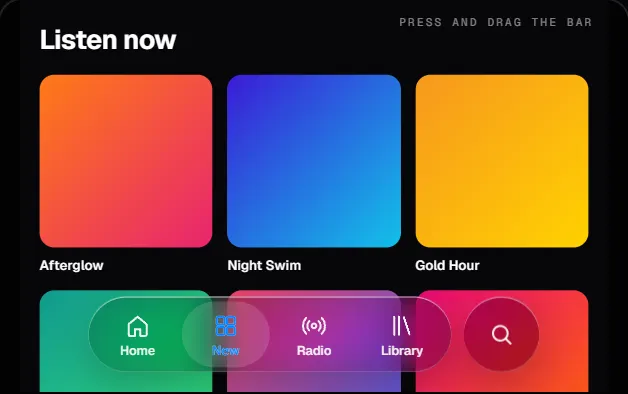
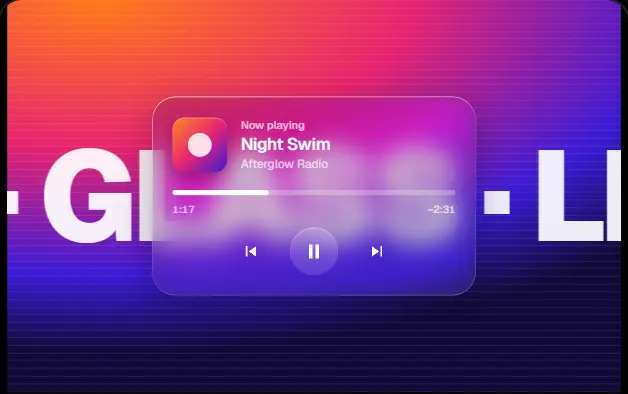
A tab bar built like a lit glass object: a droplet selection with dispersive refraction and a pooled caustic, a rim light that sweeps as it moves, springing badges, a mini-player dock, and a long-press menu that grows out of the tab you hold.
Canvas 2D0 deps1 file · 38 KB TSXreduced-motion aware
Props
"use client";

import { useEffect, useId, useRef, useState } from "react";
import type {
  KeyboardEvent as ReactKeyboardEvent,
  MouseEvent as ReactMouseEvent,
  PointerEvent as ReactPointerEvent,
  ReactNode,
} from "react";

/**
 * LiquidGlassTabBar 2.0 — a floating glass tab bar built like a physical
 * object: lit glass, a liquid selection, a mini-player that docks above it and
 * a long-press menu that grows out of the tab you hold.
 *
 * Selection. At rest the selection is a soft platter behind the current tab
 * with a faint pool of the tint beneath it. Press the bar and it swells into
 * a clear droplet: it lifts a few pixels (never onto the next tab's icon,

  // ---------------------------------------------------------------
  // Full source available with a viberdy Pro subscription.
  // https://viberdy.dev/pricing
  // ---------------------------------------------------------------
}
Details
About this component
The first Liquid Glass Tab Bar made the selection a drop of glass. Version 2.0 makes the whole bar a lit object. The droplet now bends light the way thick glass does: its edge is refracted through three displacement maps, one per colour channel, so the rim carries a faint spectral fringe, and a caustic of the tint pools at its base under a small highlight. A conic rim light is clipped to a hairline ring around the bar and sweeps as the droplet travels, while a soft glow follows the pointer. Icons lean toward a hovering mouse like a dock, pop when selected, and badges (a count or a dot) spring in when they change. Hold a tab that has actions and a glass menu grows out of it: keep holding, slide, release over an action to choose it. A second glass pill, the dock, grows in above the bar for a mini-player, an upload or a draft, and shrinks with the bar when the page scrolls. It works with buttons or links, takes an accessory circle, and supports the arrow keys, Home, End, ContextMenu and Shift+F10.
Curator’s note
Version 2.0 of the Glassmorphism kit's tab bar. Pro because it is a small system rather than a component: a spring-driven droplet, a three-channel dispersive lens, a sweeping rim light, a docked mini-player and a long-press menu with release-to-choose.